In the realm of financial advice, where client trust and data security are paramount, understanding and implementing robust cybersecurity measures is a cornerstone of client service.
Cybersecurity shouldn’t be a looming threat but a testament to your commitment to client safety and trust. Your website, as a primary point of client interaction, needs to be a secure, resilient hub for client interactions and transactions.
In this article, we walk you through the key digital risks you need to know about and what you can do to protect the trust your clients place in you.

The spectrum of digital risks
Yes, it’s an inconvenience if your site goes offline. Cyber threats can be more insidious, from malware that stealthily infects your visitors’ devices to under-the-radar intrusions like clickjacking, which can jeopardise your clients’ safety.
These threats erode the trust you’ve built and have real-world consequences. Understanding these risks helps you appreciate why proactive security measures are essential for the safety and quality standards of your digital presence.
Guardianship and accountability
If your website is built on a basic platform such as Wix or GoDaddy, it’s a bit like living in a managed property: the fundamental security is part of what you pay for. But when your website is on a platform like WordPress or if you’ve gone the route of a custom build, you’re in charge of the upkeep.
You must ensure there’s a caretaker, whether it’s you, an employee, or an external service. If you’re not paying someone to monitor the digital health of your website, you may deteriorate over time. A neglected site can quickly become a liability, with performance issues that frustrate users and security gaps that attract cybercriminals.
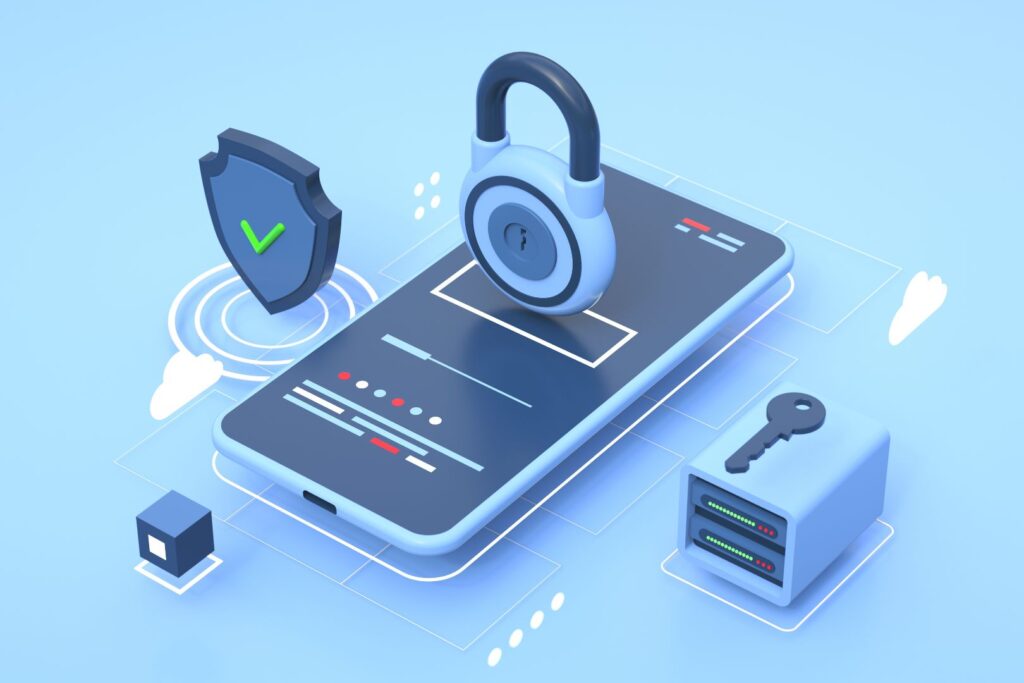
Actionable cybersecurity steps for advisers
Here are the practices to adopt for a healthy and secure online presence:
- Complex passwords and 2FA: Administrators should ban simple passwords and require two-factor authentication. It’s a one-two punch: a secret knock and a proof of identity that safeguards the entry to your website’s control panel.
- Stay current with updates: Just like a car, your website’s platform needs regular tune-ups. Outdated systems are a beacon for trouble. Regular updates mean you’re always equipped with the latest defences against threats. We’ve heard many cautionary tales of advisers losing access to their website when backups haven’t been completed properly. Before you launch your next website, make sure you have a clear understanding of what ongoing maintenance and support your web developer or IT provider will deliver.
- Resilient backup strategies: Offsite backups are your safety net, ensuring that if something goes wrong, you can bounce back without incurring exorbitant costs or extended downtime. Think of it as your business continuity insurance.
- SSL certificates: An SSL certificate encrypts data between your site and its users. It’s the difference between sending a postcard and a sealed letter: privacy is paramount, and SSL is your seal.
- Continuous learning or delegation: Security is dynamic, so you need to either keep abreast of the changes or engage services like The Cyber Collective or your IT team, who can be across the details for you. This isn’t an area for the set-and-forget mentality and requires continuous improvement and vigilance.
By internalising these practices, you’re protecting your site and demonstrating to your clients that their safety and your integrity are your top priorities. A secure, well-maintained website reflects a business that’s thoughtful and responsible, which is key in the digital age.
If you’re not sure if these are in place, you should contact your website developer and confirm.
If you’re not sure who that is and you aren’t paying for a managed service like Wix or GoDaddy, you probably have a problem. Schedule a complimentary chat with our team if you need guidance.

In the spirit of taking proactive steps towards better cybersecurity, consider starting with UpGuard’s free webscan service.
While its capabilities are naturally limited by the inclusion of a no-cost option, it serves as an excellent initial gauge of your website’s security posture. UpGuard can provide valuable insights that can inform your discussions with IT support teams, helping you pinpoint areas that may need attention.
That being said, whilst scoring an ‘A grade’ or ‘B grade’ on UpGuard is a positive sign, it’s not a foolproof seal of safety. Cybersecurity is a complex, ever-evolving field, and an ‘A’ today doesn’t guarantee immunity from tomorrow’s new threats. Use UpGuard as a starting point, not as a conclusive assurance, and always stay engaged with ongoing security measures and expert advice.
Keep your digital ecosystems healthy and client relationships secure through proactive cybersecurity.
Where to next?
Understand the scam risks of including your email address on your advice website via our article here.
If you’re looking to start again with your financial advice website, we can help. We build visually engaging, functionally unmatched, and always up-to-date and secure websites tailored for financial advisers. Book a complimentary chat with us.
Clickjacking is when a malicious actor overlays an invisible element on your website to trick visitors into clicking something they didn’t intend to. In practice, this could mean a client thinks they’re clicking a button on your site, but they’re actually interacting with a hidden layer that captures their credentials or authorises an unintended action. Because nothing looks obviously wrong to the naked eye, most advisers wouldn’t know it was happening without a security scan. It’s one of the reasons a tool like UpGuard’s free webscan is a useful starting point, and why ongoing monitoring matters more than a one-time check. Ask specific questions to give your provider something concrete to respond to and give you a clearer picture of where any gaps might be. A proper setup includes automated daily backups stored offsite or in the cloud, plus periodic restoration tests to confirm they work. If you’re unsure whether your current setup meets this standard, ask your provider now rather than after something goes wrong. Under the Australian Privacy Act, if a breach is likely to cause serious harm, you must notify both the OAIC and affected individuals as soon as practicable. ASIC treats cyber resilience as a compliance expectation. Importantly, regulators will look at what you had in place before the breach occurred. Advisers who can demonstrate documented security practices and a clear maintenance process are in a far stronger position than those who cannot. Keep records of your security measures. For further reading on your specific obligations, refer directly to: We recommend reading these directly and seeking your own legal or compliance advice regarding your specific obligations. Costs can include website rebuilds, forensic investigation, client notification, and potential regulatory fines. Standard professional indemnity insurance typically covers professional negligence claims, but cyber incidents often fall outside that scope. A separate cyber liability policy is designed specifically to cover breach response costs, legal fees and notification expenses. Check what your current policy covers as a best practice. Two-factor authentication (2FA) is a login security method that requires two separate forms of verification before access is granted. The first is something you know, typically a password. The second is something you have, usually a time-sensitive code sent to your phone or generated by an app such as Google Authenticator or Microsoft Authenticator. In practice, when a team member logs into your WordPress dashboard, they enter their password as usual and are then prompted to enter a six-digit code from their authenticator app. Even if someone obtains the password through a phishing email or a data leak elsewhere, they cannot access your website without also having the physical device that generates the second code. For financial advice websites that collect client information through forms and integrate with CRM platforms, this is one of the highest-impact security measures you can put in place. Most WordPress security plugins, including Wordfence and WP 2FA, support this feature and can be configured in under an hour. Clickjacking is a type of attack where a malicious actor overlays an invisible or disguised element on top of a legitimate webpage button or link. When a visitor thinks they are clicking something harmless, such as a “Book a meeting” button, they are unknowingly clicking something hidden beneath it, which can trigger unintended actions, such as submitting a form, granting permissions, or being redirected to a fraudulent site. For a financial advice website, the risk is that a client interacting with your site in good faith could have their session hijacked or be tricked into taking an action they did not intend. The standard technical defence is a security header called X-Frame-Options or Content Security Policy, both of which instruct browsers not to allow your pages to be embedded inside frames on other websites. These headers are set at the server or hosting level and are typically managed by your web developer or hosting provider. If you are unsure whether your site has these protections in place, ask your developer to check your HTTP security headers, or run your URL through a free tool such as securityheaders.com. If your website or connected systems are compromised and client personal information is involved, you have legal obligations under both the Privacy Act 1988 (Cth) and your AFS licence conditions. Under the Notifiable Data Breaches (NDB) scheme, you are required to notify the Office of the Australian Information Commissioner (OAIC) and affected individuals if a breach is likely to result in serious harm. Failure to notify when required can attract significant penalties. Beyond the Privacy Act, ASIC expects AFS licensees to maintain adequate risk management systems, which include reasonable cybersecurity practices. If a breach occurs and you cannot demonstrate that you had appropriate controls in place, such as current software, 2FA, off-site backups, and ongoing monitoring, you may face regulatory action under your licence conditions in addition to any Privacy Act consequences. The standard is not perfection but reasonableness. Documented evidence that you had a maintenance plan, applied updates, used strong authentication, and engaged qualified support will be your strongest defence if your practices are ever scrutinised. The OAIC publishes guidance on the NDB scheme at oaic.gov.au/privacy/notifiable-data-breaches. This article does not constitute legal or compliance advice, and you should seek your own guidance on your specific obligations. Recovery costs from a cyber incident are consistently higher than most small advice firms anticipate. Even a contained breach or ransomware attack affecting a WordPress website can involve forensic investigation to identify the source and scope, legal advice on notification obligations, client notification costs, reputational management, and the operational cost of downtime while systems are restored. For a small to mid-sized advice firm, total costs can run into tens of thousands of dollars. Professional indemnity (PI) insurance covers claims arising from errors or omissions in the delivery of your professional services. It is not designed to cover the costs associated with a cyber attack or data breach. PI policies typically respond to claims such as negligent advice or failure to act, not to breach response costs, ransomware payments, or regulatory fines. Cyber liability insurance is a separate product that specifically covers these scenarios, including forensic investigation, legal fees, notification costs, and, in some policies, regulatory penalties. If you are unsure what your current policies cover, contact your insurance broker and ask specifically whether your PI policy includes any cyber endorsement and whether you have a standalone cyber liability policy. Given the volume of sensitive client data that passes through advice firm websites and CRM systems, this is a coverage gap worth closing. This article does not constitute legal, financial, or insurance advice, and you should seek your own professional guidance. The article recommends contacting your web developer to confirm your security practices but does not specify what to ask. Here are the questions to put to them directly. Ask whether two-factor authentication is enabled on all administrator accounts for your website’s content management system. Ask when the website’s platform, plugins, and themes were last updated, and whether automatic updates are configured for security patches. Ask where your backups are stored, how frequently they are taken, and when the restoration process was last tested. Ask whether your SSL certificate is current, whether it is set to renew automatically, and who will be notified if it expires. Ask whether your hosting environment includes a web application firewall and malware scanning, and how often scans run. Ask whether your site’s HTTP security headers, including Content Security Policy and X-Frame-Options, are correctly configured. Finally, ask for a brief written summary of the maintenance and monitoring services they currently provide so you have a clear record of what is and is not covered. If your developer cannot answer these questions confidently, or if you are not currently paying anyone for ongoing maintenance, treat that as a prompt to address the gap.Cyber security FAQs

The Trust Stack
Subcribe for exclusive adviser insights to build credibility at scale.